

2degrees

IMEI Unlock Any 2Degrees Phone

Unblacklist any 2Degrees Phone

  • Compatible with all 2Degrees-registered devices
  • Fully Online Process
  • Works on Android and iOS
  • Easy to use platform

If you want to learn more, please check all our resources to have the pleasure to unlock your device in a matter of minutes.

Unlock Your 2Degrees Device with ESNDoctor - No Hassle, No Software

Get to know here the best solution to unblacklist your 2Degrees device without having to contact this carrier or install any program. ESNDoctor is here to assist users who need help understanding how this lock works and finding the best alternatives and recommendations for 2Degrees IMEI unlocking any device of their choice. Without further ado, let's begin!

🚫

No Carrier Contact

Skip the hassle of dealing with 2Degrees customer service

💻

No Software Needed

No programs to download or install on your device

🎯

Expert Guidance

Complete understanding of locks and best alternatives

Ready to unlock your 2Degrees device?

Start with ESNDoctor

How to find the IMEI of a blacklisted 2Degrees phone
How to find the IMEI of a blacklisted 2Degrees phone

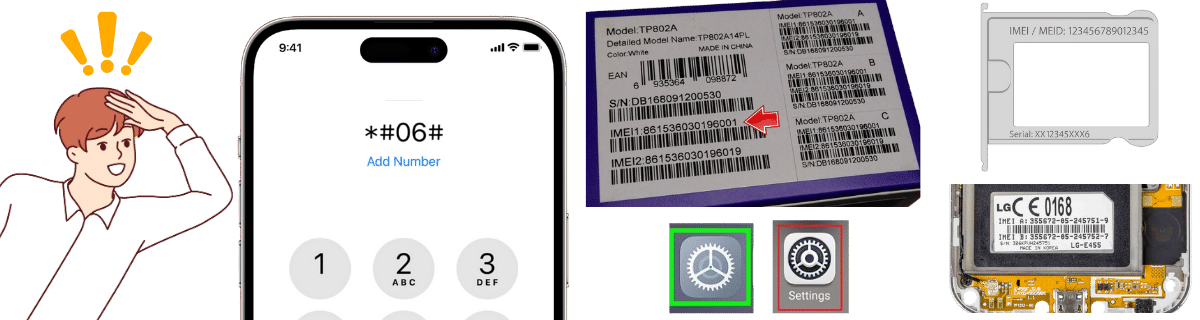
Even if it's not working on your 2Degrees mobile network, you can still easily find your IMEI number to clean a reported device. Since the IMEI is embedded in the phone, you have several ways to find it!

1
📞

Dial Code Method

Dial *#06# on your phone's dialer.

Shows IMEI instantly on any NZ mobile phone
2
⚙️

Phone Settings

Android: Settings > About Phone > IMEI
iPhone: Settings > General > About

3
📦

Original Packaging

Look at the original packaging box or receipt, as the IMEI is usually printed there.

4
🔍

Physical Device

Look for it on the SIM tray or under the battery, as there should be a printed label.

💡

Start your unlock process as soon as possible once you have your IMEI!
🌐

Is 2Degrees connected to international IMEI databases?

That's correct; since 2Degrees is part of the Telecommunications Carriers Forum (TCF) with other network providers, they have a direct connection with the GSMA database. Even though not all phones get reported internationally, 2Degrees still has the possibility to inhibit the connection to any network worldwide as long as they are part of the GSMA. If you want to make sure that's the case, you can use an IMEI checker and see if, besides the regular blacklist, you also have an international lock.

⏱️

How often is the 2Degrees blacklist updated?

The TCF database (which includes 2Degrees, One NZ, and Spark) is updated daily by all major mobile network operators in New Zealand. Additionally, when a device is reported lost or stolen, it can take up to 48 hours to be added to the blacklist and blocked across all NZ networks. For devices tied to fraudulent activity, this process can take up to 120 days since they need to investigate and ensure the phone is associated with the fraud charges or not.

🌍

Unlocking my phone with 2Degrees will make it work overseas?

Yes, since you basically unlock a phone from the blacklist using the 2Degrees service, your phone should work on any international network as long as you don't have a SIM-locked phone. Additionally, you have to make sure your smartphone is compatible with another network and SIM card, as that will affect its usage and the plans or data you will have while traveling.

  • Works internationally after blacklist removal
  • 🔓 Must not be SIM-locked
  • 📶 Check network compatibility
Unlocking my phone with 2Degrees will make it work overseas?

Common mistakes when trying to unlock a blacklisted 2Degrees phone
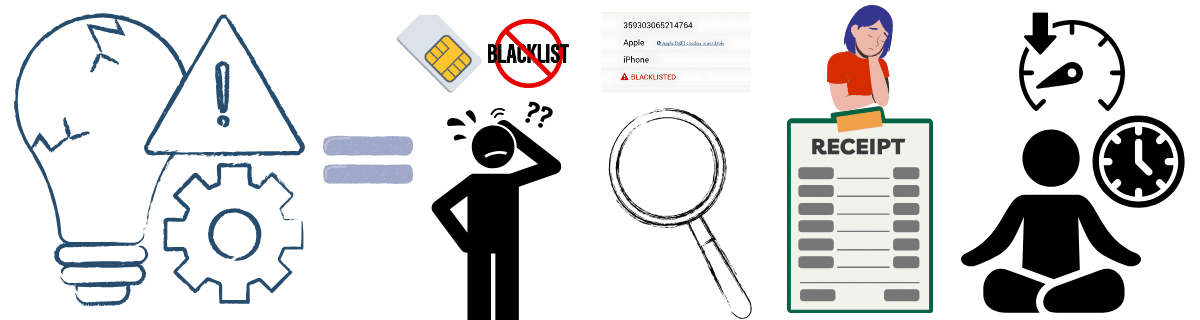
Since your phone is locked and you are looking for a way to reestablish your 2Degrees network, there are some common mistakes you need to avoid if you want to make this process easy and efficient. Keep in mind that this list can also apply to other tools or services like ESNDoctor, so it is good to check them out before you try to unlock your 2Degrees phone:

1
🔒

Network Lock vs Blacklist Confusion

Don't confuse network lock with blacklist: unlocking a phone won't fix a blacklist issue.

2
👤

Wrong Ownership Claims

Trying to unblock a phone you don't really own: Only the original account holder can request blacklist removal with official methods.

3
🛒

Skipping IMEI Status Check

Not checking the IMEI status before buying a second-hand phone: Buying a blacklisted phone can leave you with limited options if you want to unlock it.

4
📄

Missing Proof of Ownership

Failing to provide proof of ownership: Remember that 2Degrees requires documents like a receipt and ID to reestablish the connection to any New Zealand network.

5

Expecting Instant Results

Don't assume it will be fixed instantly: This process can take several days, meaning that the restriction will still be active during that time.

6
📱

Testing Other NZ Carriers

Inserting a SIM from another NZ carrier: Blacklisted phones are blocked on all NZ networks, not just 2Degrees.
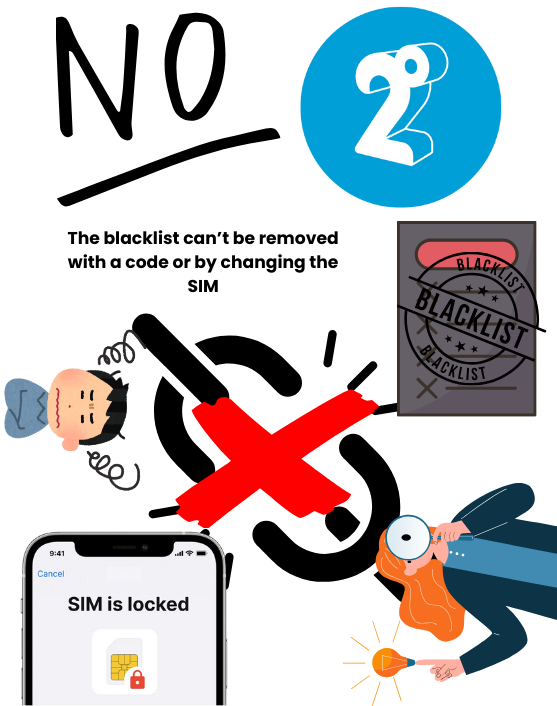
SIM Lock vs Blacklist

SIM Lock vs Blacklist

Understanding the Key Differences

SIM Lock

Can make and receive calls
Can send text messages
Normal mobile network works
! Locked to specific carrier only
Won't work with other SIM cards

Blacklisted Device

Cannot make any calls
Cannot send messages
No mobile network access
Won't work anywhere
No SIM card will function

Unlocking Process

SIM Lock Simple unlock code request
Minimal requirements
Quick process
Blacklist Extensive documentation
Multiple requirements
Complex process

Complete the 2Degrees IMEI unlock process with ESNDoctor

Simple steps to clean your blacklisted device
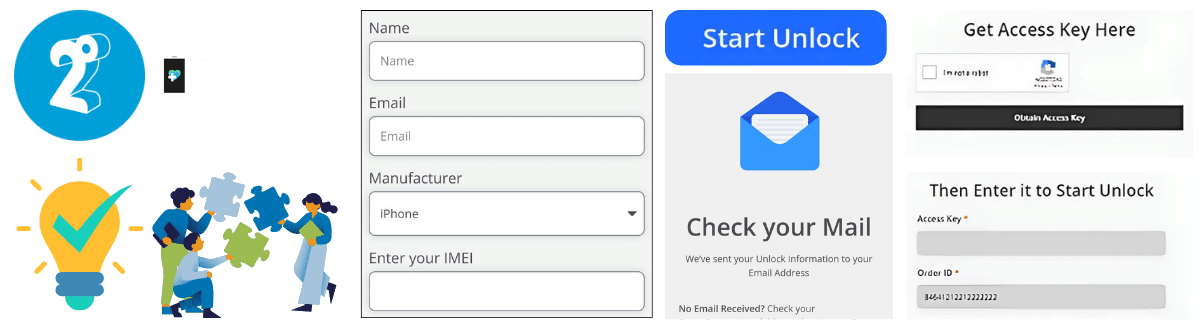
Complete the 2Degrees IMEI unlock process with ESNDoctor
STEP 1

Enter Your Device Information

Enter your name, email, manufacturer (Samsung, iPhone, etc.), and IMEI code.

STEP 2

Register and Activate Your Order

Complete registration and activate your order with the access key received in your email.

STEP 3

Wait and Restart Your Device

Wait for server processing to unlock your IMEI, then restart your device to clear all restrictions.

This process only takes a few minutes with full transparency throughout.

Yes, a blacklist history can reduce your phone’s resale value. Even if it’s no longer blacklisted, buyers may see it as risky or unreliable and may not be interested in it.

All mobile devices are unblacklisted by default; unless something happens to them, you don’t need to worry about random reports when buying a new phone from official retailers or a 2degrees store.