

Unlock Vodacom

IMEI Unlock Any Phone Vodacom

Unblacklist any Vodacom Phone

  • Compatible with all Vodacom registered devices
  • Fully Online Process
  • Works on Android and iOS
  • Easy to use platform

If you want to learn more, please check all our resources to have the pleasure to unlock your device in a matter of minutes.

If you want to avoid possible fees and recover all your Vodacom network services, you have come to the right place! ESNDoctor is ready to assist with your reported IMEI and teach you how this lock works, how to do a Vodacom IMEI unlock, and what options are available so you can recover your full phone functionality. Now it's time to give your phone a second chance and recommend to others the best service to unlock their devices.

Why is your Vodacom IMEI Blacklisted?
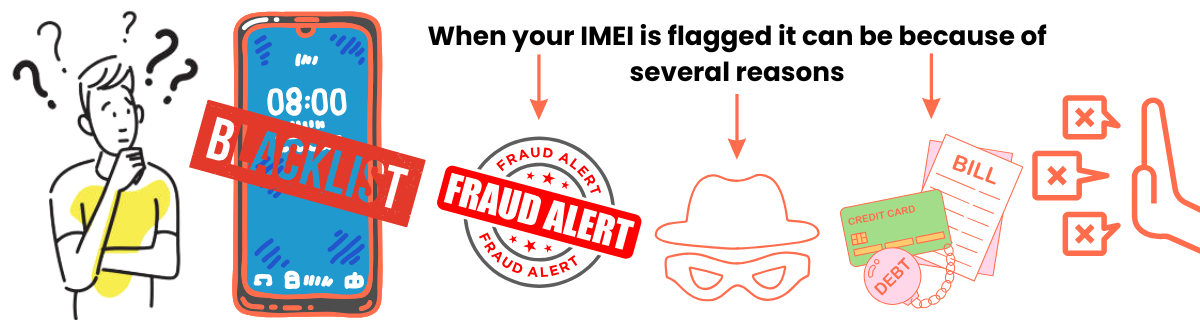
Common reasons your device may be blocked from the network

If an IMEI number is blacklisted by a network provider like Vodacom or any other network provider in South Africa, it usually means that the device associated with that IMEI has been flagged for some reason. Here are the most common causes:

🚫

Stolen Device

Device was reported stolen or lost by the original owner

⚠️

Fraud Activity

Device used in scams or illegal sales activities

💳

Unpaid Bills

Contract device with outstanding payments or debt

🔓

Illegal Unblocking

Device unlocked without proper authorization

🔄

Recycled IMEI

Duplicate or reused IMEI number causing conflicts
Risks of Removing Blacklist Reports

When unlocking from reporting databases, risks depend on the method used. Blacklisted devices remain permanently registered in certain records, and SA carriers can reference this history to deny services or promotions.

You may encounter warranty and support issues. Coverage might not apply to damages, and customer service may refuse repair solutions. Illegal unlock tools carry the highest risks.

📝
Records

Permanent database history

🛡️
Warranty

Coverage may be void

🎧
Support

Limited assistance

🚫
Services

Carrier restrictions

⚠️ Choose Legitimate Services

Illegal tools increase device damage and legal risks

Are there any risks and limitations to removing a blacklist report?

Can a blacklisted Vodacom phone be used again, or is it permanently locked?

📶

Wi-Fi Usage

Still works with Wi-Fi and communication apps

🔒

Provider Services

Plans and services remain locked indefinitely

🔓

Unlock Possible

Can be unlocked even years after blacklisting

Official Methods

Vodacom process is long but possible

It can still be used, but only if you are connected to Wi-Fi and use other types of apps to communicate. Other than that, if you have a service provider with plans and services, those will be locked indefinitely. A good thing about reported devices is that it is possible to unlock them even if they were added to this list years ago! However, if you want to try official Vodacom methods, it can be a long and tedious process, but it's at least possible.

✅ Limited functionality with Wi-Fi • 🔒 Service plans locked • 🔓 Unlock still possible after years

How to prevent your Vodacom IMEI from being blacklisted
Unefon network issues

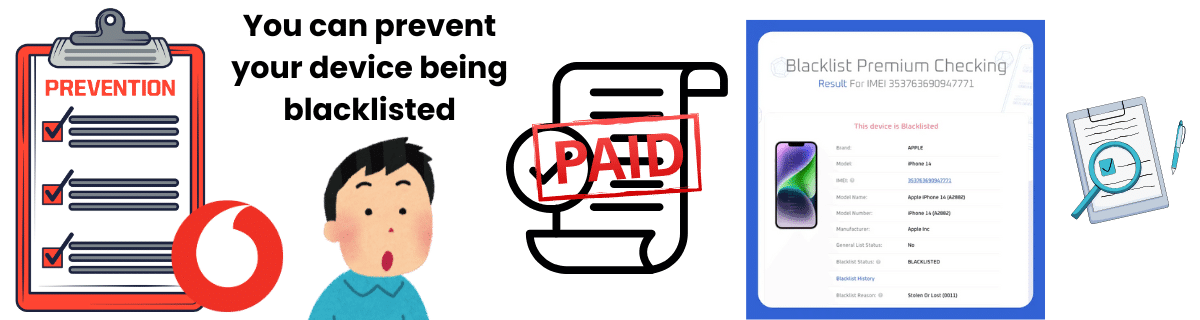
To avoid potential issues and locks in the future, consider following these recommendations to prevent your IMEI from being blacklisted. The first thing we recommend is settling any debt or issue with Vodacom before you travel or want to change carriers, as that can get your IMEI flagged. Secondly, if you are getting a phone that has been used before, check the IMEI and see if it was reported or if it has other locks active. This applies to recalled or refurbished devices as well.Last but not least, always keep an eye on your IMEI number. If you see any discrepancies or notice that it's being used without your consent, contact Vodacom Indemnity and ask for assistance. With this, you should be able to avoid the report list and also ensure your device is safeguarded at all times.
Do I need to pay to know the status of my IMEI

Do I need to pay to know the status of my IMEI?

Not really, but keep in mind most IMEI checkers online nowadays have a premium option or limited tries. If you're looking for the complete history of your smartphone or want to see what other locks it has, you might need to pay. However, for a quick blacklist check, you should be fine. If you want to give it a shot, you can try services like IMEI.info, IMEI24.com, and IMEICheck.com.

Quick blacklist checks are usually FREE

Premium features for complete device history may require payment

IMEI.info
IMEI24.com
IMEICheck.com

Check out the best Vodacom IMEI unlock service!
Check out the best Vodacom IMEI unlock service

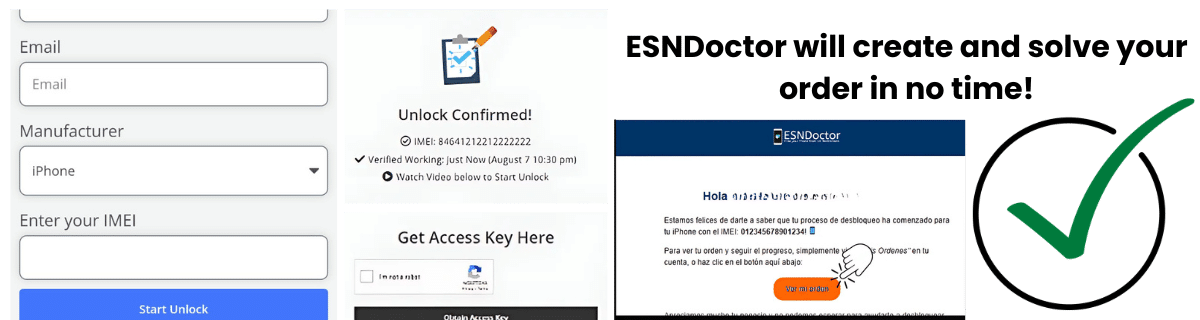
To unlock Vodacom phones quickly and easily, you can go right now to ESNDoctor, a simple step-by-step process where you only need to provide your name, email, manufacturer (iPhone, Samsung, or Motorola), and IMEI number to create your order. After completing that part, you will receive an IMEI along with an access key to register on our site and establish a secure connection.

1

Visit ESNDoctor

Go to ESNDoctor website and start the unlock process

2

Provide Details

Enter your name, email, phone manufacturer, and IMEI number

3

Receive Access Key

Get your IMEI and access key to establish secure connection

4

Restart Device

Restart your phone to reconnect to Vodacom network

This key will also activate your order, allowing our servers to locate your IMEI in the blacklist and delete the associated report. The last step you need to follow on our page is to restart the phone so it can connect again to Vodacom and reestablish your network services (calls, messages, mobile plan, etc.).

No, other South African carriers cannot unlock a blacklisted phone. Only the carrier that blacklisted the device (in this case, Vodacom) can resolve the blacklist issue.

You can use it for offline functionalities and sell or recycle the phone if it can’t be unblacklisted. You can also use your Wi-Fi and apps to keep using the device until you get a new one or solve the blacklist issue.

Since the phone needs to be activated on the network for registration, and that is done through the carrier, it is not possible to use Wi-Fi calling with a reported device.